



ADRC Recovered File Listings
About ADRC File Listings
Upon a successful recovery, ADRC will provide a list of all the recovered files. Please verify that the files required are in the list because only the files in the list were recovered. If there are any missing files, ADRC will re-work the job and attempt to recover more files.
Viewing the File List
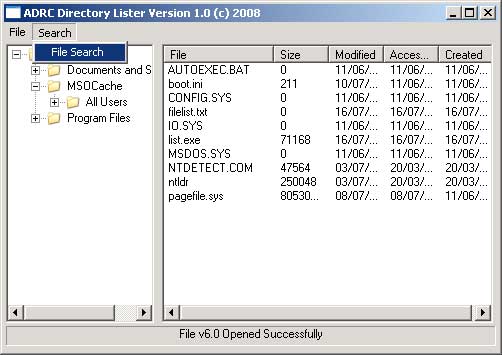
The file list will be delivered in a standard text file with a .txt extension. The files may be opened by any text editor including "Notepad" which is provided with Microsoft Windows. For viewing convenience, the file list may also be viewed in our proprietary ADRC File Lister.
File Structure
The structure of the content in the text files are as the example below:
| File Name | Size | Date Accessed | Date Created | Date Modified |
| desktop.ini | 62 Bytes | 16/07/2008 | 11/06/2008 | 11/06/2008 |
Using ADRC File Lister
1) Launch Application
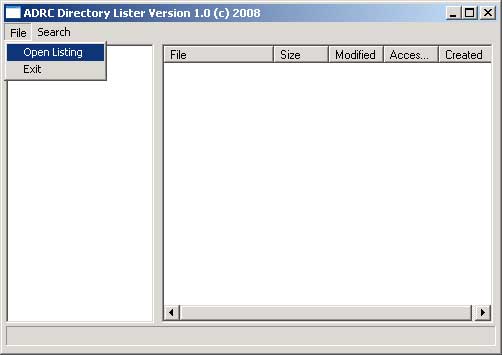
2) Click File -> Open Listing
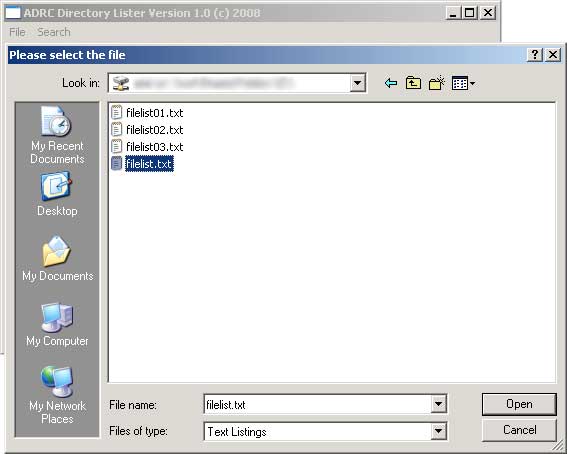
3) Browser to folder with the file listings. If there are mutiple files as below, select the main text file (not numbered).
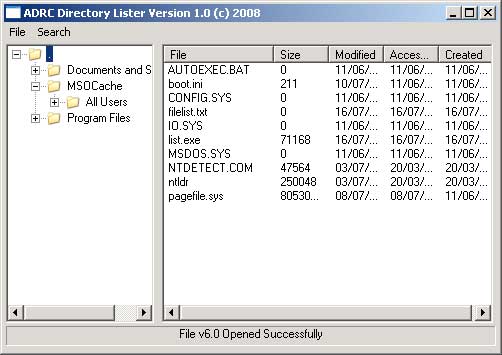
4) Once opened, you may browse through the recovered files.
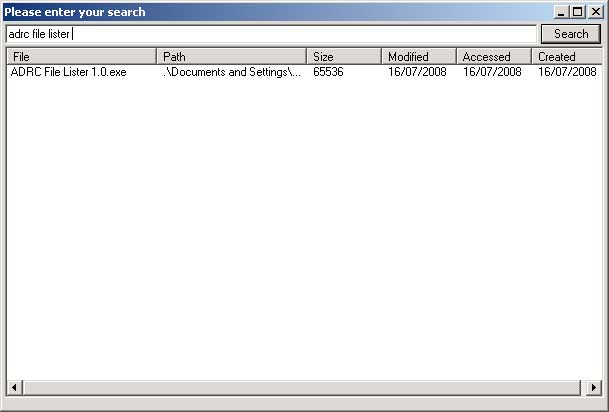
5) To search for a file, click Search -> File Search
6) Type in a filename or part of a filename such as ".doc" for word documents and click Search.