





















How to Boot into Safe Mode
WINDOWS SAFE MODE
In case one could not boot into Windows normally, the most common way is to rescue the system or your data is to try booting into Windows safe mode. Windows Safe Mode is an operating mode that loads the bare minimal device drivers and system files to boot into the Windows environment. Often known as the troubleshooting mode, Safe Mode bypasses all redundant startup programs that might be causing your computer to experience startup problems.
To boot into safe mode, follow these steps:
- Restart or power up your computer
- After the P.O.S.T completes and just right after the Windows logo appears, press F8
- At the Windows Advanced Option menu, select Safe Mode
- Hit Enter
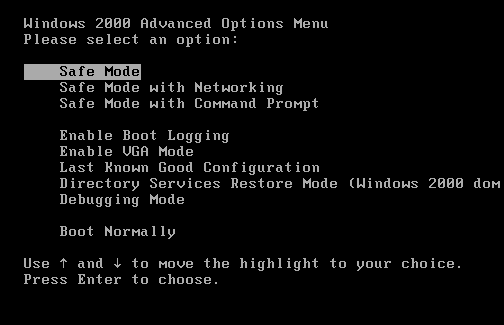
Source of picture: www.petri.co.il with Courtesy of Daniel Petri